Your website is either working for your business or working against it. For UK SMEs, the importance of website reliability comes down to a simple equation: an unreliable site loses revenue, erodes trust, and wastes every pound you spend on marketing. Aim for high uptime reliability for any site handling leads, sales, or bookings. Compliance obligations under GDPR and standards such as ISO/IEC 27001 add a regulatory dimension that makes reliability a legal matter, not just a commercial one.
Three things you can do today:
- Test every key conversion path — contact forms, checkout, booking flows — and confirm they submit correctly.
- Check that your analytics and ad-tracking tags are firing on confirmation pages.
- Verify that a recent backup exists and that someone has actually tested restoring it.
Table of Contents
- Why does website reliability matter for UK SMEs?
- What does ‘website reliability’ actually include?
- What are the real risks and costs of an unreliable site?
- How should you measure website reliability?
- What should you fix first? A prioritised checklist
- Should you fix this in-house or hire a specialist?
- How Citricmedia approaches reliability for UK SMEs
- Key takeaways
- The mistake most SMEs make with website reliability
- Citricmedia can audit and strengthen your site’s reliability
- Useful sources and further reading
Why does website reliability matter for UK SMEs?
Poor reliability converts directly into lost money. When your site goes down during a paid Google Ads campaign, you are paying for clicks that land on an error page. When a contact form silently breaks, every enquiry it should have captured disappears. Website downtime halts transactions, wastes ad spend, and can suppress your search rankings — a compounding loss that extends well beyond the outage window itself.
Trust is the less visible but equally serious cost. Research from the Nielsen Norman Group shows that credibility is built through consistent, accurate information and working features, not through design novelty. A prospect who hits a broken page or a slow checkout does not stop to diagnose the problem; they leave and often do not return. For B2B businesses relying on lead forms, a single broken submission path can mean weeks of missed pipeline.
Recruitment and brand perception matter too. A prospective employee or partner checking your site before a meeting draws conclusions from what they find. Slow load times, certificate warnings, or 404 errors signal an organisation that does not maintain its own infrastructure.

A reliability failure that exposes personal data carries a separate cost entirely. Under UK GDPR, a breach caused by inadequate security or poor system maintenance can trigger an ICO investigation and significant fines. Reliability and data protection are not separate disciplines.
What does ‘website reliability’ actually include?
Reliability is not simply whether your server is responding. Academic dependability models define it across four dimensions: availability (is the site reachable?), integrity (is the data accurate and uncorrupted?), confidentiality (is personal data protected?), and recoverability (can you restore normal operation quickly after a failure?).
In practice, that means reliability spans several interconnected components:
- Hosting and infrastructure: server uptime, redundancy, and capacity under load.
- Application stack: CMS updates, plugin compatibility, SSL certificates, and error-free code.
- Integrations: forms, payment gateways, tracking tags, and third-party APIs — all of which can fail independently of the server.
- Backups and recovery: frequency, off-site storage, and tested restore procedures.
- Monitoring and incident response: automated alerts, defined escalation paths, and post-incident reviews.
- Governance: who owns each component, how changes are approved, and how content accuracy is maintained.
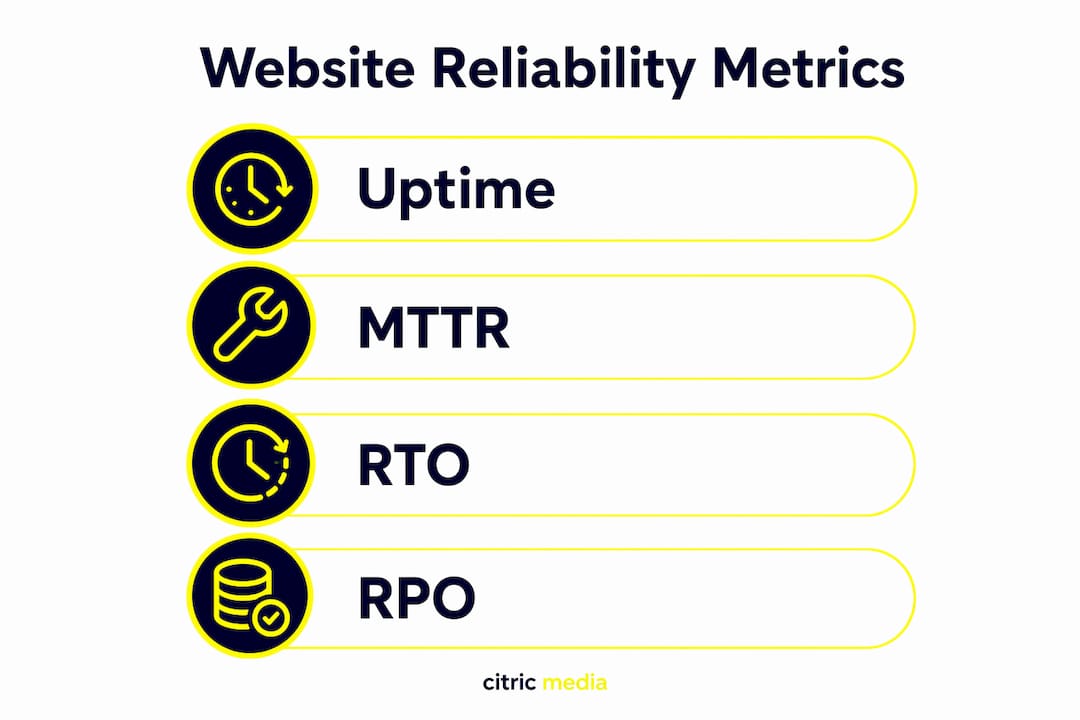
Key metrics to track: uptime percentage, mean time to recovery (MTTR), recovery time objective (RTO), recovery point objective (RPO), error rates (4xx and 5xx responses), and Core Web Vitals scores. Each tells you something different. Uptime tells you the server is responding; Core Web Vitals tell you whether it is responding usefully.
What are the real risks and costs of an unreliable site?
Risk converts to lost revenue faster than most SME owners expect. Consider four common failure scenarios:
- Outage during a paid campaign: ad spend continues while the landing page returns an error. Every click is wasted, and Quality Scores can suffer, raising future costs.
- Broken contact form: leads are lost silently. No error message, no alert — just a gap in your pipeline that may go unnoticed for days or weeks.
- Slow checkout: users interpret slow or broken pages as a sign of an unprofessional business and abandon without explaining why.
- Tracking failure: your analytics and ad platforms stop recording conversions, making optimisation decisions unreliable and wasting budget on campaigns you can no longer measure.
A simple illustration: a B2B site generating ten enquiries per week from paid search, spending £2,000 per month on ads, goes down for 48 hours during a campaign push. That is roughly 2–3 missed enquiries plus the ad spend driving traffic to a broken page. Add the time cost of diagnosing and fixing the issue, and the combined loss often exceeds the annual cost of better hosting and monitoring.
Issues escalate quickly. Minutes of downtime affect individual visitors. Hours affect SEO crawl schedules and campaign performance. Days begin to damage rankings, customer trust, and — if personal data is involved — trigger GDPR breach notification obligations.
How should you measure website reliability?
Track these five metrics as a baseline:
- Uptime: target 99.9%+ for any site handling leads or transactions. That equates to fewer than nine hours of downtime per year.
- MTTR: how long it takes to restore service after a failure. Set an internal target based on your revenue-per-hour exposure.
- Error rate: the proportion of requests returning 4xx or 5xx responses. Even a small persistent error rate signals broken pages or integrations.
- Key-page load time: measure your homepage, primary landing pages, and checkout. Website performance directly affects conversion rates and search visibility.
- Conversion funnel completion: are forms submitting? Are confirmation pages loading? Are tracking tags firing?
99.9% uptime means fewer than nine hours of downtime per year — for a site running paid campaigns, even two hours at the wrong moment can cost more than a year of monitoring.
Monitoring approaches combine to give a complete picture. Uptime checks ping your server every minute or five minutes and alert you when it stops responding. Synthetic transaction monitoring simulates a real user journey — filling a form, completing a checkout — and alerts you when a step fails. Real user monitoring (RUM) captures actual visitor experience data. Log and alerting systems surface application errors that uptime checks miss entirely.
A basic SLA with your hosting provider should specify: availability percentage (e.g. 99.9% measured monthly), maximum response time for critical incidents (e.g. one hour), and resolution time commitments. If your provider cannot articulate these, that is itself a red flag.
For a practical overview of web evaluation tools that support these checks, the partner resource linked here covers the key options for site managers.
What should you fix first? A prioritised checklist
Start with the highest-impact, lowest-effort fixes before touching infrastructure.
Step 1 — Verify conversions and analytics (Day 1, low cost). Submit every form on your site and confirm the data arrives. Check that Google Analytics and any ad-platform tags fire on thank-you pages. This costs nothing and frequently reveals silent failures.
Step 2 — Verify backups and test a restore (Week 1, low–medium cost). Confirm backups are running, stored off-site, and that someone has actually restored from one recently. Quarterly restore tests are the minimum.
Step 3 — Implement basic monitoring and alerts (Week 1–2, £10–£50/month). Set up an uptime monitor with SMS or email alerts. Add synthetic checks for your most critical user journeys.
Step 4 — Review hosting and CDN options (Month 1, variable). If your current host cannot provide uptime SLAs or has no redundancy, website hosting decisions deserve serious attention. A content delivery network (CDN) reduces load times and absorbs traffic spikes.
Step 5 — Schedule load and recovery tests (Quarterly). Test how your site performs under peak traffic before a campaign launches, not during it.
Pro Tip: Build a short weekly checklist — automated where possible — covering uptime status, form submissions received, analytics data flowing, and backup confirmation. Five minutes a week prevents hours of crisis management.
Should you fix this in-house or hire a specialist?
Hire external help when the cost of downtime exceeds what internal resource can prevent or resolve. For most UK SMEs, that threshold arrives quickly.
Decision criteria:
- Business impact: if your site drives more than 20% of revenue or leads, the risk of DIY reliability management is high.
- Internal skillset: monitoring, incident response, and security hardening require specific expertise that most marketing teams do not hold.
- Compliance needs: GDPR obligations around data security and breach notification require documented controls, not ad-hoc fixes.
- Speed of resolution: a specialist with pre-configured monitoring and runbooks resolves incidents in minutes; an internal generalist may take hours.
Questions to ask any supplier:
- What uptime SLA do you offer, and how is it measured?
- How do you monitor for functional failures (forms, integrations) beyond server uptime?
- How often are backups taken, where are they stored, and when did you last test a restore?
- What is your incident response process, and will I receive a post-incident report?
- Do you hold ISO/IEC 27001 certification or equivalent, and how do you handle GDPR breach notifications?
Red flags: no documented SLA, monitoring limited to server ping only, backups never tested, vague answers on incident reporting, no client references for reliability work.
How Citricmedia approaches reliability for UK SMEs
Citricmedia’s work with UK SMEs consistently shows that operational failures — broken forms, lost tracking, untested backups — are commercially damaging yet invisible to basic server monitors. Typical interventions include restoring form-to-CRM pipelines that had silently broken, reducing page load times ahead of campaign launches to prevent checkout abandonment, and establishing monitoring that alerts the client before a visitor notices a problem. Each intervention is measured against a baseline so the commercial impact is visible.
Key takeaways
Website reliability is a continuous operational discipline, not a one-off technical project — and for UK SMEs, the cost of getting it wrong compounds across revenue, marketing spend, and regulatory exposure.
| Point | Details |
|---|---|
| Target 99.9% uptime | Fewer than nine hours of downtime per year; critical for sites running paid campaigns. |
| Check forms and tracking first | Silent failures in forms and analytics tags cost leads without triggering any server alert. |
| Test backups quarterly | A backup that has never been restored is not a backup — schedule quarterly restore tests. |
| Use layered monitoring | Combine uptime checks, synthetic transactions, and real user monitoring for full coverage. |
| Citricmedia reliability audits | Citricmedia offers hosting, monitoring, and reliability audits tailored to UK SMEs, covering technical checks, backup validation, and conversion path testing. |
The mistake most SMEs make with website reliability
The most common error is treating reliability as something you fix once and forget. A site that passed a technical review eighteen months ago may now have expired integrations, unmonitored third-party scripts, or a backup schedule that quietly stopped running after a server migration.
Over-reliance on basic uptime figures is a related trap. A server can be fully online while a contact form returns a 500 error, an analytics tag misfires, or a payment gateway times out. Functional reliability requires checking what the site actually does, not just whether it responds to a ping.
Unclear internal ownership compounds both problems. When nobody is explicitly responsible for reliability, nobody notices when something breaks quietly. Assign ownership, document the checklist, and review it on a schedule. Treat your website the way you would treat any other piece of business-critical infrastructure — because that is precisely what it is.
Citricmedia can audit and strengthen your site’s reliability
Unreliable websites cost UK SMEs real money: wasted ad spend, lost leads, and damaged search rankings. Citricmedia’s reliability audits give you a clear picture of where your site is vulnerable and what to fix first, without requiring a long-term commitment before you see results.

An audit covers technical uptime and hosting checks, monitoring setup, backup validation, conversion path testing, and tracking verification — the exact areas where silent failures most often occur. For businesses running Google Ads or SEO campaigns, a reliable site is the foundation that makes every pound of marketing spend work harder.
With over 27 years serving UK SMEs, Citricmedia brings the operational depth to identify and resolve reliability issues quickly. Request a reliability audit and find out exactly where your site stands.
This article provides general information for UK SMEs and does not constitute legal or compliance advice. Confirm your specific GDPR obligations with a qualified professional or the ICO directly.
Useful sources and further reading
- Stanford Web Credibility Guidelines — the foundational research on what makes websites credible and trustworthy, based on studies with over 4,500 participants.
- Nielsen Norman Group: Trustworthy Design — practical guidance on building long-term credibility through consistent, honest design.
- The Quiet Reliability Checklist (The Web Ally) — a concise operational checklist covering daily functional checks every business site should run.
- Why Minor Website Glitches Cost More Than You Think (Entrepreneur) — explains user behaviour around broken or slow pages and the conversion cost of small failures.
- How Website Downtime Hurts Sales and Trust — covers the revenue and SEO impact of outages, with guidance on uptime targets.
- Dependability Models (academic) — the academic framework defining reliability as availability, integrity, confidentiality, and recoverability.
- Citricmedia: why businesses need website hosting — practical SME guidance on hosting decisions, SLAs, and trade-offs.