General
You spend hours crafting posts, boosting content, and fiddling with audience settings, yet your enquiry inbox stays stubbornly quiet. It is a frustration shared by countless UK small business owners who pour real money into social advertising without a structured approach to show for it. The good news is that a well-designed workflow, one that connects your goals to the right platforms, creative assets, and measurement systems, can transform scattered effort into consistent lead generation. This guide walks you through every stage of that process, from audience planning to optimisation, in practical terms that work for UK SMBs in 2026.
Table of Contents
- Understand your objectives and audience
- Prepare your toolkit and assets
- Build your workflow: step-by-step process
- Test, analyse, and optimise your ads
- Why most social ad workflows underperform and how to fix them
- Take your social advertising workflow further with expert support
- Frequently asked questions
Key Takeaways
| Point | Details |
|---|---|
| Clarify objectives and platforms | Identify clear advertising goals and select platforms used by your target audience. |
| Prepare tools and creative | Assemble the right software, tracking tools, and campaign assets before starting. |
| Use a repeatable workflow | Implement a step-by-step process for ad creation, deployment, and monitoring. |
| Test and optimise | Run continual split tests, focus on CPL/ROAS, and adjust campaigns regularly. |
| Avoid common mistakes | Do not prioritise vanity metrics or overspend; automate follow-up and comply with regulations. |
Understand your objectives and audience
Before you write a single line of ad copy or set a budget, you need to be crystal clear on what success looks like. Vague aims like “get more awareness” produce vague results. Instead, set measurable goals tied directly to business outcomes, whether that is a target number of leads per week, a specific cost per enquiry, or a percentage increase in online sales over a defined period.
Once your goal is fixed, map out your audience in detail. In the UK context, this means thinking beyond age and gender to include location (city, region, or national), business type if you are B2B, income bracket, and the online behaviour patterns that signal purchase intent. Facebook’s Audience Insights tool and LinkedIn’s Campaign Manager both allow you to layer these filters and estimate your potential reach before spending a penny.
Platform choice follows naturally from your audience profile. As a general rule, FB/IG are ideal for cost-effective local lead generation in UK SMBs, while LinkedIn suits high-value B2B connections where decision-makers justify a higher cost per click. TikTok is growing quickly among under-35 consumers, but its conversion infrastructure for lead capture is still maturing compared to Meta’s ecosystem. Our paid social ad guide goes deeper on platform selection criteria if you want to weigh every option systematically.
Here is a quick platform comparison to inform your choice:
| Platform | Best for | Average UK CPL range | Audience size |
|---|---|---|---|
| Facebook/Instagram | Local leads, B2C, e-commerce | £5 to £25 | Very large |
| B2B, professional services | £40 to £120 | Medium | |
| TikTok | Under-35 consumer brands | £8 to £30 | Large, younger |
| Lifestyle, home, fashion | £6 to £20 | Niche, high intent |
Key audience planning questions to answer before launch:
- Who is your ideal customer, and where do they spend time online?
- What problem does your product or service solve for them specifically?
- What geographic area are you targeting, and does that affect platform relevance?
- Are you selling to consumers or to business decision-makers?
- What objections might a cold audience have, and how does your ad address them?
Pro Tip: Resist the temptation to advertise where your competitors are visible. Focus on where your customers actually spend their time. Competitor presence on LinkedIn does not mean your buyers are there too.
Prepare your toolkit and assets
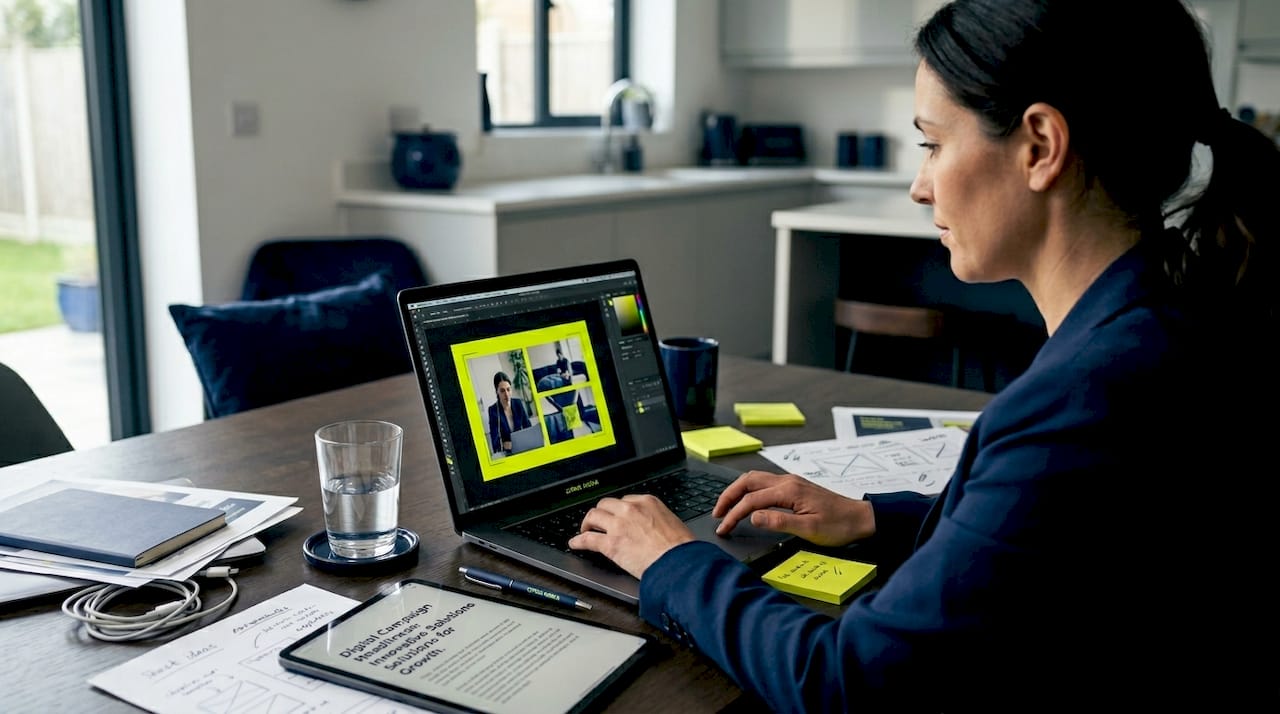
With audience and goals identified, it is vital to have the right tools and assets ready before you launch a single campaign. Disorganised creative production is one of the most common reasons campaigns underperform. When ad copy, imagery, and tracking are assembled on the fly, quality suffers and spend is wasted on half-tested ideas.
Your core toolkit should include:
- Ad scheduling and management: Meta Business Suite, LinkedIn Campaign Manager, or a third-party tool such as AdEspresso for cross-platform management
- Creative design: Canva for quick, brand-consistent visuals; Adobe Express or Figma for more polished work
- Landing page builder: A fast-loading, mobile-optimised page built in your CMS or a dedicated tool like Unbounce
- Tracking and analytics: Meta Pixel, LinkedIn Insight Tag, and Google Analytics 4 running simultaneously so no conversion data is lost
- CRM or lead management: HubSpot, Zoho, or even a well-structured Google Sheet to log and follow up every enquiry
Creative assets need to be prepared systematically. Each campaign should launch with at minimum two headline variants, two body copy variants, and two distinct images or videos. That gives you enough material for meaningful split testing without overwhelming your workflow. Our step-by-step marketing guide covers how to structure creative production as a repeatable process rather than a last-minute scramble.
Starting with small budgets to test before scaling is sound financial discipline, not timidity. A £10 to £20 per day budget across two or three ad variants will generate statistically useful data within two weeks. Only once you identify a winning combination should you scale spend.
| Asset type | Minimum quantity per campaign | Purpose |
|---|---|---|
| Ad headlines | 2 to 3 variants | Split testing messaging |
| Body copy | 2 variants | Test tone: direct vs emotional |
| Images or video | 2 distinct creatives | Identify visual preference |
| Landing page | 1 dedicated page | Reduce bounce, track conversions |
| Follow-up sequence | 3 to 5 automated emails or messages | Nurture warm leads immediately |
Pro Tip: Save every asset and campaign setting as a named template in a shared folder. When you launch your next campaign, you will halve the setup time and maintain brand consistency without having to rebuild from scratch.
Build your workflow: step-by-step process
Once your toolkit is in place, you are ready to build a repeatable workflow. The word “repeatable” is doing a lot of heavy lifting here. The goal is a documented process that any member of your team, or an agency partner, can follow consistently without reinventing the wheel each time.
Here is a practical workflow for UK SMBs:
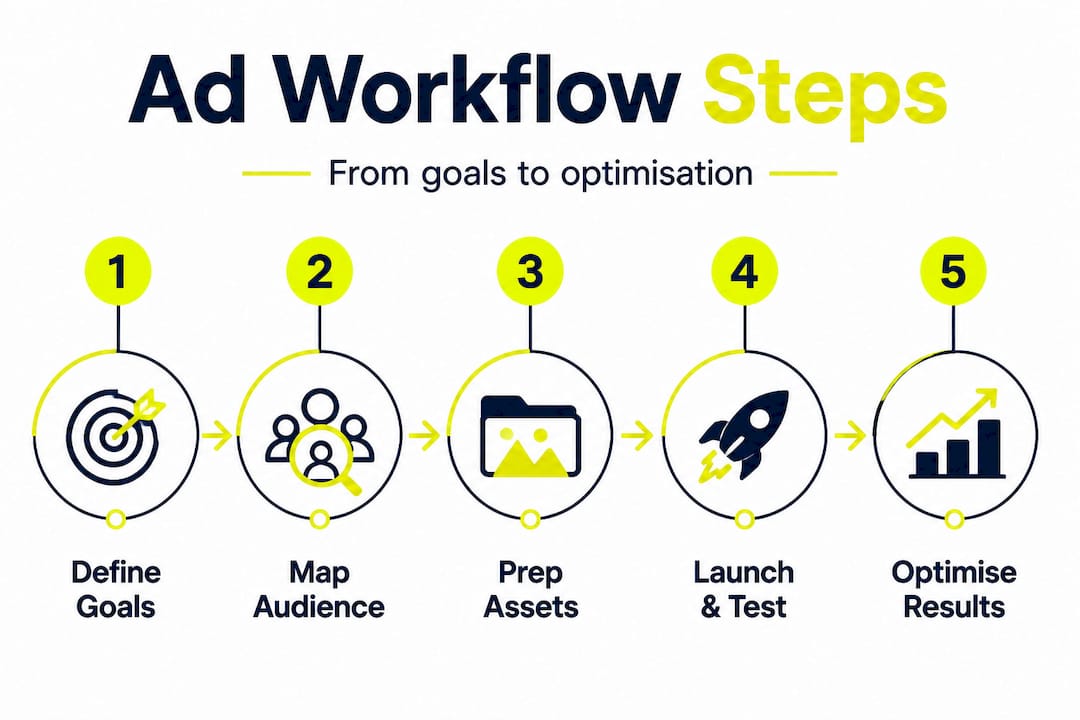
- Define the campaign objective in your platform’s ad manager, matching it to your business goal (leads, traffic, conversions).
- Build your audience using saved audience segments based on your earlier research, layering in location, interests, and behaviours.
- Set your budget and schedule, starting conservatively, typically £10 to £30 per day, with a two-week initial testing window.
- Create and upload your ad variants, using your pre-prepared creative templates.
- Configure tracking by confirming your Pixel or Insight Tag is firing correctly before the campaign goes live.
- Launch and monitor daily for the first 72 hours to catch any technical issues, anomalous spend, or audience errors.
- Review at seven days to identify underperforming variants and pause them, reallocating budget to the stronger performers.
- Optimise at 14 days based on CPL and ROAS data rather than surface metrics. Our social advertising workflow article expands on each of these stages with platform-specific guidance.
- Scale winners by incrementally increasing budget on proven ad sets, typically no more than 20% every three to four days to avoid triggering algorithm resets.
- Document and archive the full campaign, including spend, results, creative, and audience settings, for future reference.
Choosing between a single-platform and a multiplatform workflow is a real strategic decision, not just a scale question.
| Approach | Advantages | Disadvantages |
|---|---|---|
| Single platform | Simpler to manage, easier to optimise, lower learning curve | Limited reach, dependent on one algorithm |
| Multiplatform | Broader audience coverage, reduced risk if one platform underperforms | Higher complexity, more assets needed, harder to attribute results |
For most UK SMBs starting out, a single-platform workflow on Meta is the sensible place to begin. Expand to LinkedIn or other channels once your Meta campaigns are consistently generating leads at an acceptable CPL and ROAS, the metrics that genuinely reflect whether your investment is boosting business growth rather than just generating noise.
Pro Tip: Document every campaign in a simple spreadsheet or shared document. Record your audience settings, creative choices, budget, and results. Within three or four campaigns, you will start spotting patterns: which message resonates, which audience converts, which creative format wins. That intelligence is worth more than any ad tool subscription.
Test, analyse, and optimise your ads
Execution is only half the equation. Ongoing measurement and adjustment are what separate businesses that slowly improve from those that spend indefinitely without progress. Testing should be systematic rather than instinctive.
A practical testing framework looks like this:
- Run A/B split tests by changing only one variable at a time, headline, image, CTA, or audience, so you know precisely what drove any change in performance.
- Allow each test variant at least 500 impressions before drawing conclusions. Judging results too early on small data sets leads to poor decisions.
- Use Meta’s Advantage+ features or LinkedIn’s automated bidding cautiously. These tools optimise for the objective you set, but they need clear goal signals, which is why proper tracking setup matters so much at the outset.
- Track cost per lead (CPL) and return on ad spend (ROAS) as your primary success metrics. Likes and shares are pleasant but they do not pay invoices.
- Automate your follow-up sequence so that warm leads receive a response within minutes, not hours. Speed of follow-up is one of the most significant, and most underestimated, conversion factors in paid social.
For additional depth on building actionable digital marketing systems around your test data, we have covered this extensively. If you are running B2B campaigns, our B2B marketing strategies resource adds LinkedIn-specific optimisation tactics you will not find in generic guides.
A useful performance benchmark to keep in mind: well-optimised Facebook lead ad campaigns in the UK typically achieve a CPL of £10 to £40 for local services, depending on sector and audience competition. If your CPL is significantly above that range after a full two-week test, something in your creative, targeting, or offer needs to change before you scale.
Pro Tip: Set a fixed weekly review slot, 30 minutes is enough, to assess campaign performance against your CPL and ROAS targets. Pausing underperforming ad sets early prevents budget erosion and keeps your overall account health strong, which influences how platforms prioritise your ads in their auctions.
Why most social ad workflows underperform and how to fix them
Here is an uncomfortable truth we see regularly: many UK small businesses follow all the right steps and still produce mediocre results. The workflow is there, the budget is allocated, the ads are live. Yet the leads trickle in inconsistently, and the CPL never improves meaningfully. In our experience, the cause is almost always one of three persistent mistakes.
The first is measuring the wrong things. When business owners judge campaign success by reach, impressions, or page likes, they optimise for the wrong signals. Platforms are extremely good at delivering what you ask them to measure. Ask for reach, and you will get reach without conversions. The fix is simple but requires discipline: commit to CPL and ROAS as your only success metrics from day one.
The second mistake is neglecting follow-up automation. A social ad generates a lead. That lead fills in a form. Then nothing happens for 48 hours because the business owner is busy. By that point, the prospect has forgotten they enquired, or worse, has spoken to a competitor. Automated follow-up sequences, even a simple three-email nurture series triggered instantly upon form submission, can double conversion rates from the same ad spend. This is not a nice-to-have. It is a structural requirement for any paid social workflow that is meant to generate revenue.
The third trap is budget impatience. Businesses launch with a small test budget, see no immediate returns in week one, and either abandon the campaign or dramatically increase spend before the data is meaningful. Starting with small, testable budgets and holding your nerve through the learning phase is a discipline that pays dividends. Pair that with good SEO for business growth and you create a compound digital presence that reduces your dependence on paid channels over time.
The businesses that get this right are not necessarily spending more. They are measuring more precisely, automating more intelligently, and iterating more consistently.
Take your social advertising workflow further with expert support
Building a workflow that consistently generates quality leads takes time to refine, particularly when you are managing a business at the same time. The principles in this guide will get you moving in the right direction, but there is a significant difference between a functional workflow and one that is genuinely optimised for your market, your margins, and your growth targets.
At Citric Media, we work with UK SMBs to design, implement, and continuously improve paid social advertising strategies built around real business outcomes, not vanity metrics. With over 27 years of performance marketing experience, we understand what drives leads and sales across sectors and regions. If you want to know exactly where your current workflow is losing money and how to fix it, explore our performance marketing benefits page or get in touch for a free workflow audit. We will tell you precisely what is working and what needs to change.
Frequently asked questions
Which social platforms generate the best leads for UK small businesses?
Facebook and Instagram are ideal for cost-effective local lead generation, while LinkedIn is the preferred choice for high-value B2B connections where professional decision-makers are the target audience.
How much budget should I start with for social advertising?
Start with a small budget of around £10 to £20 per day across a limited number of ad variants, and only scale once you have identified which combinations are generating leads at an acceptable cost.
What metrics matter most for UK SMB social ads?
Always prioritise CPL and ROAS over engagement figures like likes or shares, as these are the only metrics that directly reflect the revenue impact of your ad spend.
How do I ensure my ads comply with UK regulations and privacy laws?
Review platform-specific advertising policies and ensure your campaigns are compliant with UK regulations including GDPR requirements for data collection, consent, and how you store and use lead information.